
Restrict File Types in a File Upload Field
Here is our approach for restricting file types in a File Upload field in Zoho Creator in a simple way.
Even a non-technical person can easily configure it in just a few steps.

Approach
We can restrict file uploads in Zoho Creator by following these simple steps.
1. Restricting File Types
1.1 Open your Zoho Creator application and add a "File Upload" field to the form
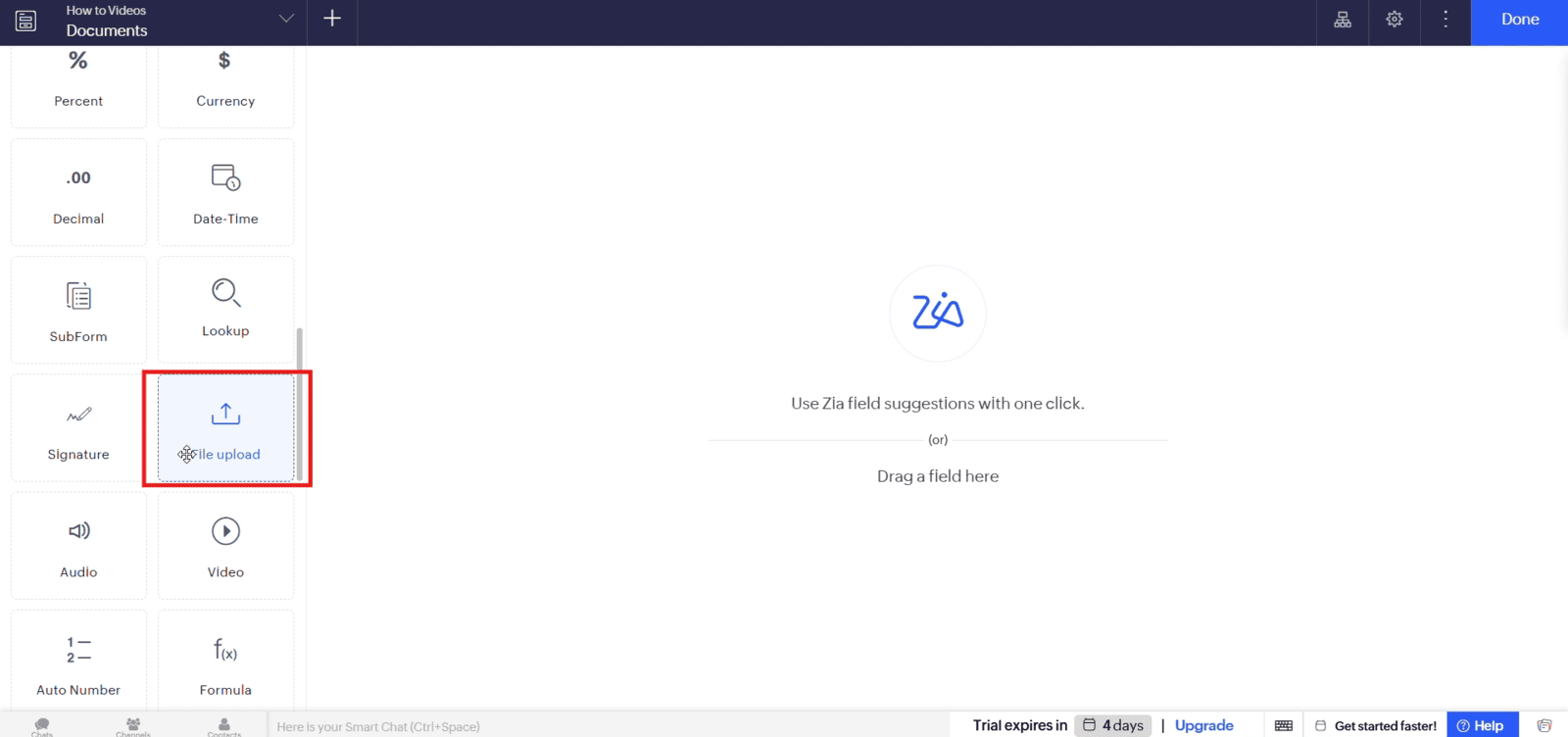
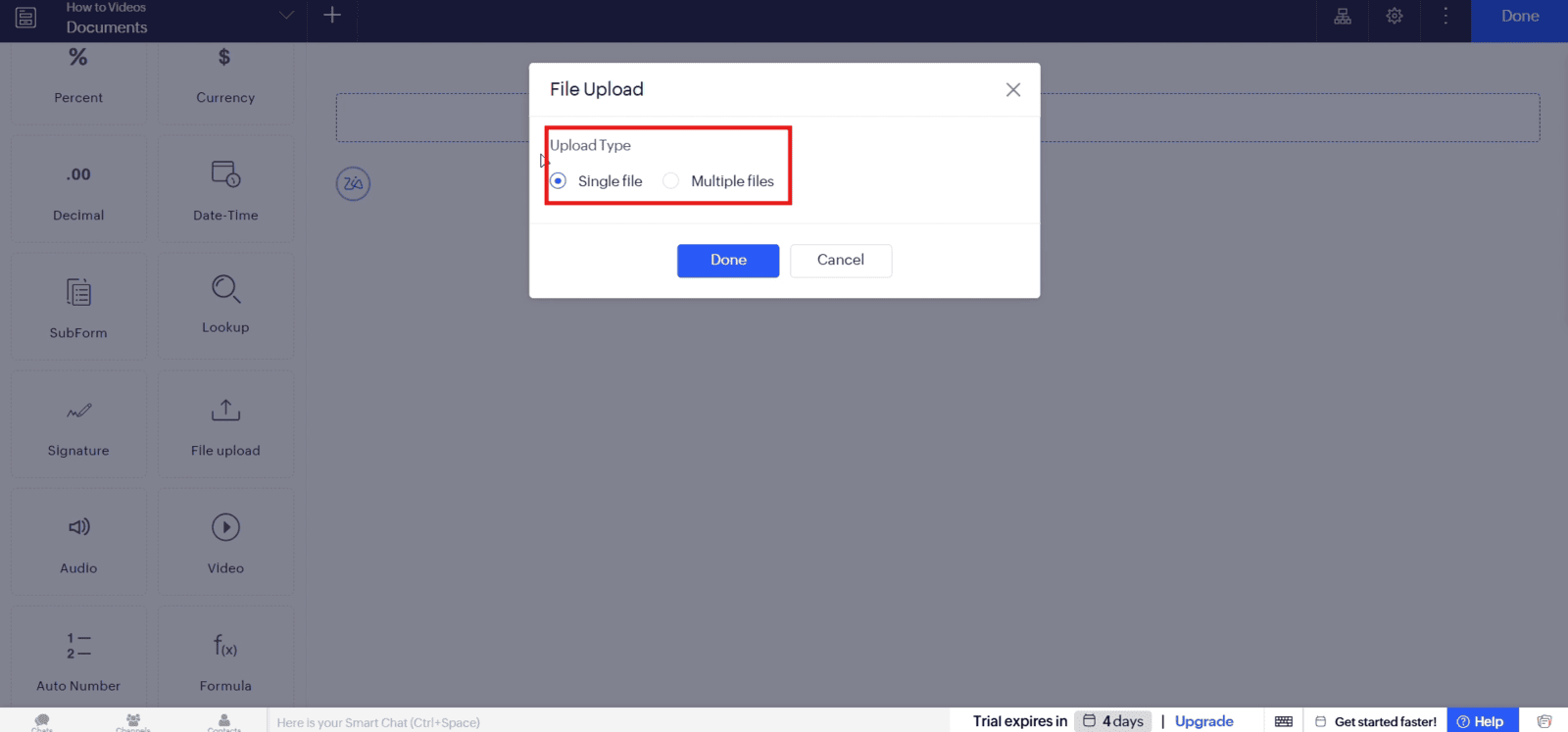
1.2 Open the field properties and select the file upload options, such as single or multiple files
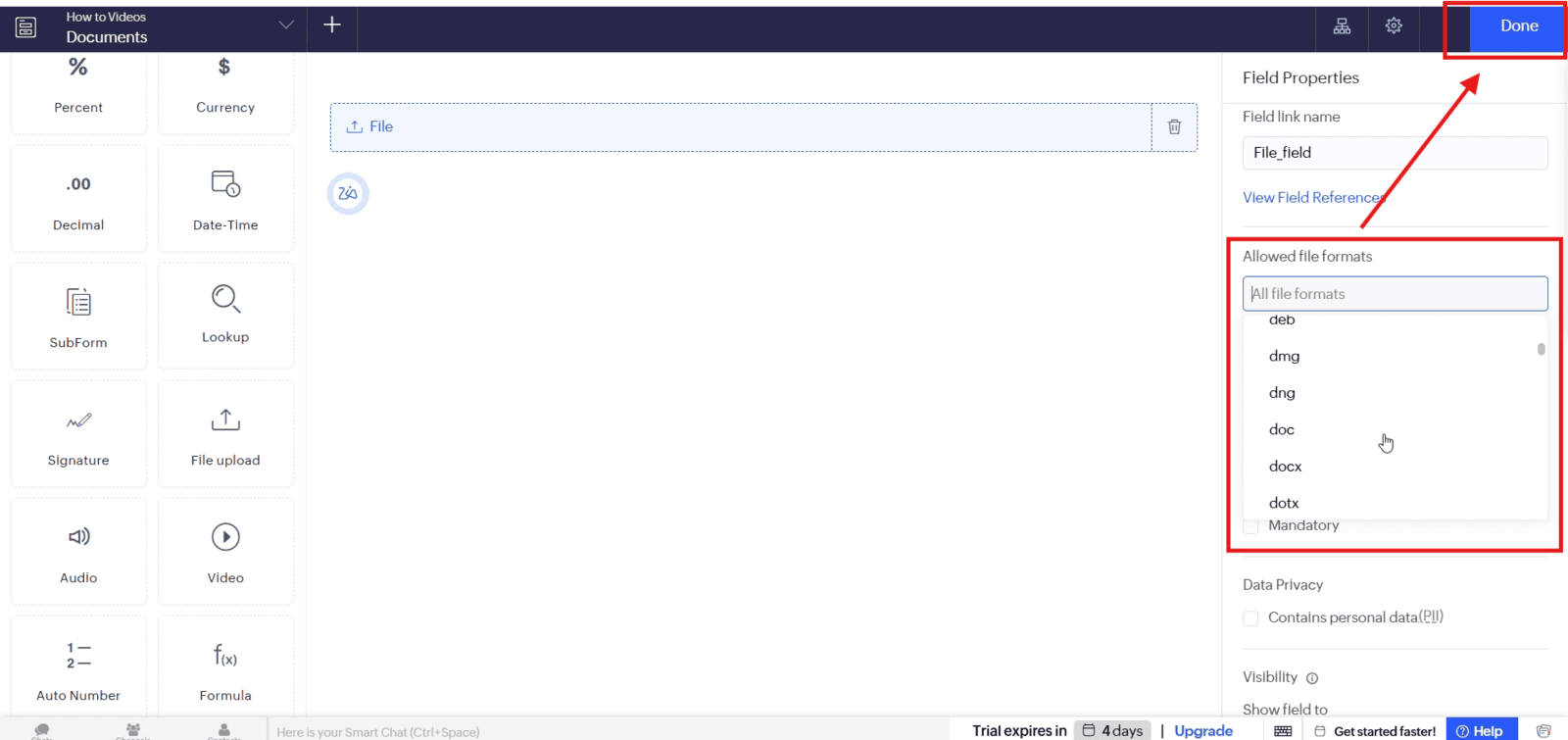
1.3 Under "Allowed File Formats", select the file types you want to permit and click "Done"
Video: Restrict File Types in a File Upload Field
Here is the video explanation of the above steps.


